
Inactive pane dimming
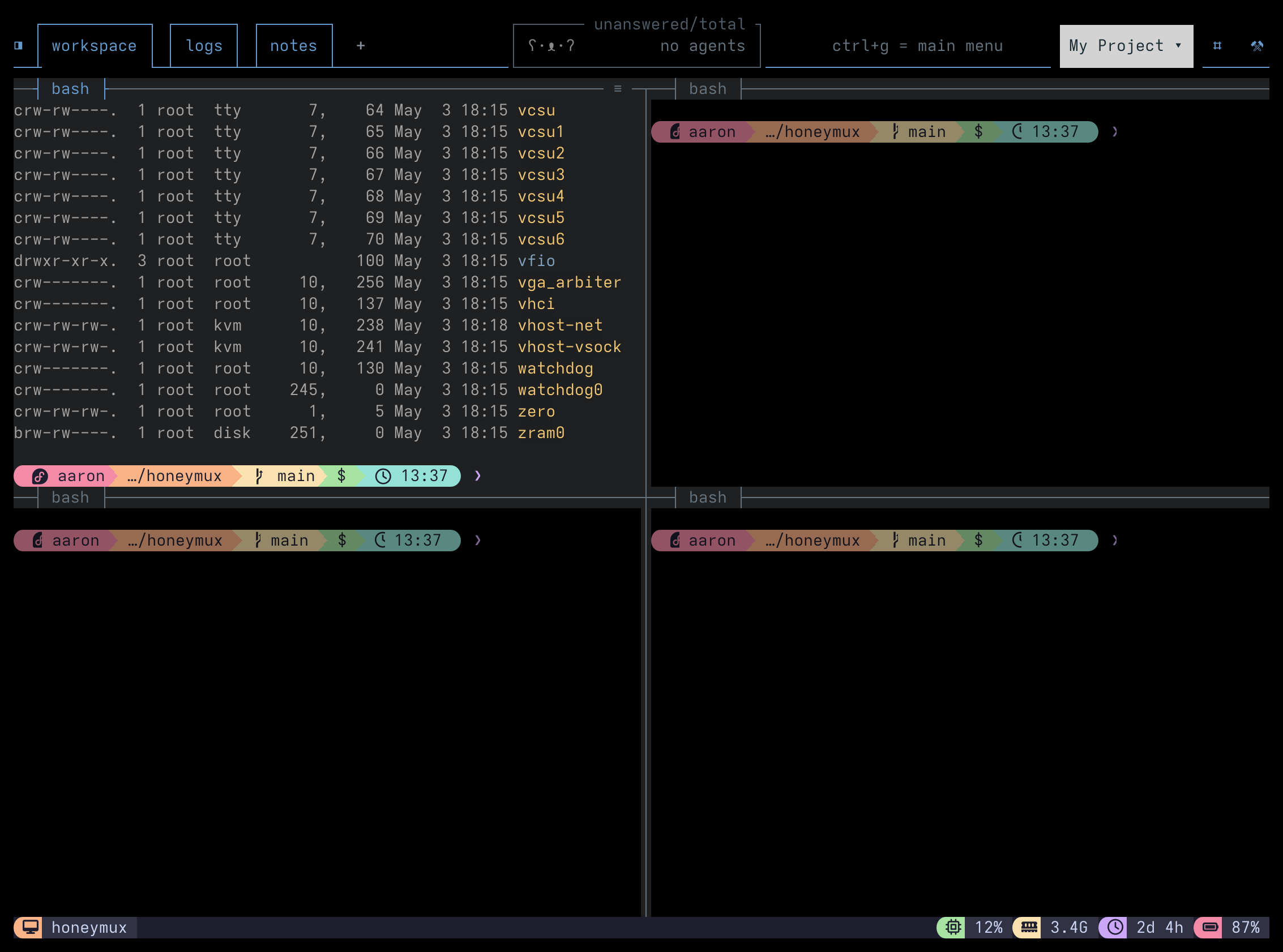
When you’re working in a multi-pane layout, glancing down at a split wall of text can make it hard to spot which pane has keyboard focus. Honeymux can draw a semi-transparent dark overlay on every inactive pane so the active one stays fully bright and the rest fade into the background.
How it works
Section titled “How it works”Each poll of tmux list-panes returns an active flag. Honeymux keeps the geometry of the inactive panes and paints a #000000 overlay over each one. The overlay sits above the tmux content layer, so every un-focused cell (both text and background) gets darkened. Moving focus with a tmux binding, select-pane, or the pane border menu re-runs the poll and the overlay follows within ~2 seconds.
Controlled by:
dimInactivePanes— master toggle (defaultfalse).dimInactivePanesOpacity— overlay alpha as a percentage from 10 to 80 (default40). Higher values dim harder.
Both are editable from the Appearance tab of the Options dialog as Dim inactive panes and its opacity slider.
Interaction with other overlays
Section titled “Interaction with other overlays”Dim composites under the privileged-pane tint, so a root shell still reads as red even while it’s the inactive pane. It also sits beneath agent-alert animations, so a waiting agent still gets the attention it needs — the dim just drops the rest of the wall out of your eye line.
When to leave it off
Section titled “When to leave it off”Dim is off by default. Turn it off (or lower the opacity) if:
- You’re colour-picking from scrollback in an inactive pane and want the exact ANSI colours.
- You’re on a low-contrast display where even a 10% dim reads as “broken pane”.
- You rely on syntax colouring in long-running log tails that sit in background panes.
Screen captures powered by Honeyshots
Copyright © 2026 Aaron Campbell · Apache 2.0