
Common Issues
If Honeymux doesn’t behave, try these first.
Kitty keyboard protocol unavailable
Section titled “Kitty keyboard protocol unavailable”Honeymux relies on the kitty keyboard protocol for a few features: hold/release zoom keys, modifier-only bindings (right-shift, caps lock, and so on), and multi-modifier combinations that legacy terminals can’t encode. If your terminal emulator doesn’t support the protocol, those bindings fire only partially or not at all — single-modifier bindings still work, but Ctrl+Shift+Space, hold-to-zoom, and similar will be inert.
To check whether Honeymux detected the protocol, open the Main Menu (Ctrl+G), switch to the About tab, and look for the Kitty keyboard protocol row. A dimmed entry means the terminal didn’t respond to the probe during startup.
The fix is to run Honeymux inside a terminal emulator that implements the protocol — Kitty, Ghostty, WezTerm, foot, recent Alacritty, and current iTerm2 builds all do. Running Honeymux inside a nested tmux or screen session can also strip the protocol even if the outer terminal supports it.
Remote stitching: server never ready
Section titled “Remote stitching: server never ready”If the Convert to remote ▸ submenu lists a server as <name> (please wait) and never advances, or if the parent menu item is stuck on Convert to remote (please wait), Honeymux hasn’t established the SSH connection yet.
Things to check:
- The
hostvalue resolves and accepts SSH connections from the command line (ssh <host>from the same shell that launchedhmx). - The host’s key is in
~/.ssh/known_hosts. Honeymux does not prompt to accept unknown host keys. - If
identityFileis set, the file exists and has the right permissions. agentForwardingis off unless you explicitly need it and trust the host.
When SSH fails outright, Honeymux surfaces the error through the Notifications review frame and the SshErrorDialog. Open the notification to see the sanitized error text and timestamp — see Remote stitching → When SSH fails for the full dismissal and recovery flow, and remote for the config reference.
Window below 80×24
Section titled “Window below 80×24”Honeymux’s minimum supported terminal size is 80 columns by 24 rows. Below that, the UI covers the screen with a full-frame overlay rather than trying to render a broken layout:
- Under 80 columns: Window too narrow — Please widen to 80 columns or more.
- Under 24 rows: Window too short — Please resize to 24 rows or more.
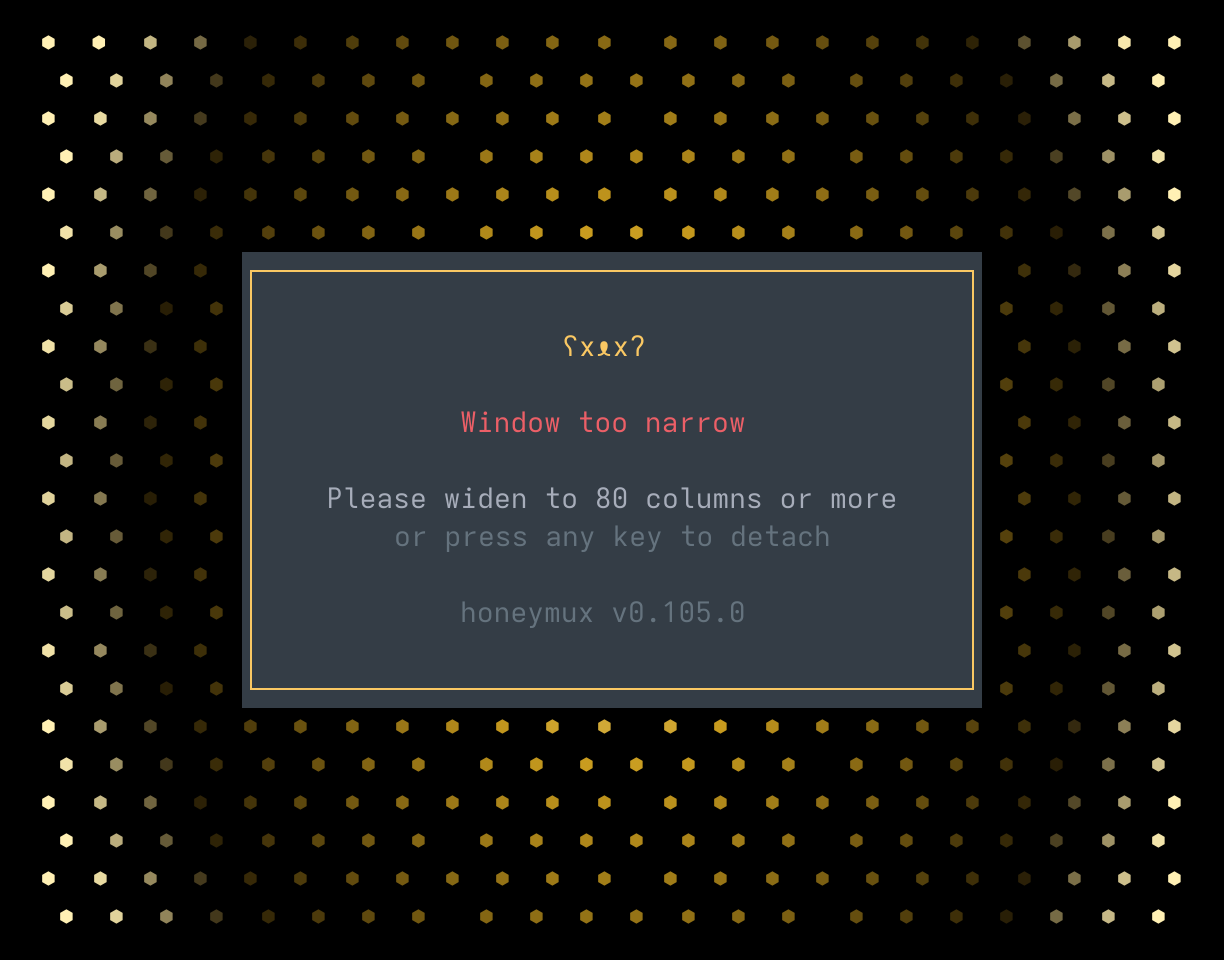
Resize the window to clear the overlay. If you can’t resize — for example, because the window is maximized on a small display — press any key to detach the Honeymux client; the underlying tmux session keeps running and you can reattach with hmx from a larger window.
Screen captures powered by Honeyshots
Copyright © 2026 Aaron Campbell · Apache 2.0