
Pane tabs (experimental)
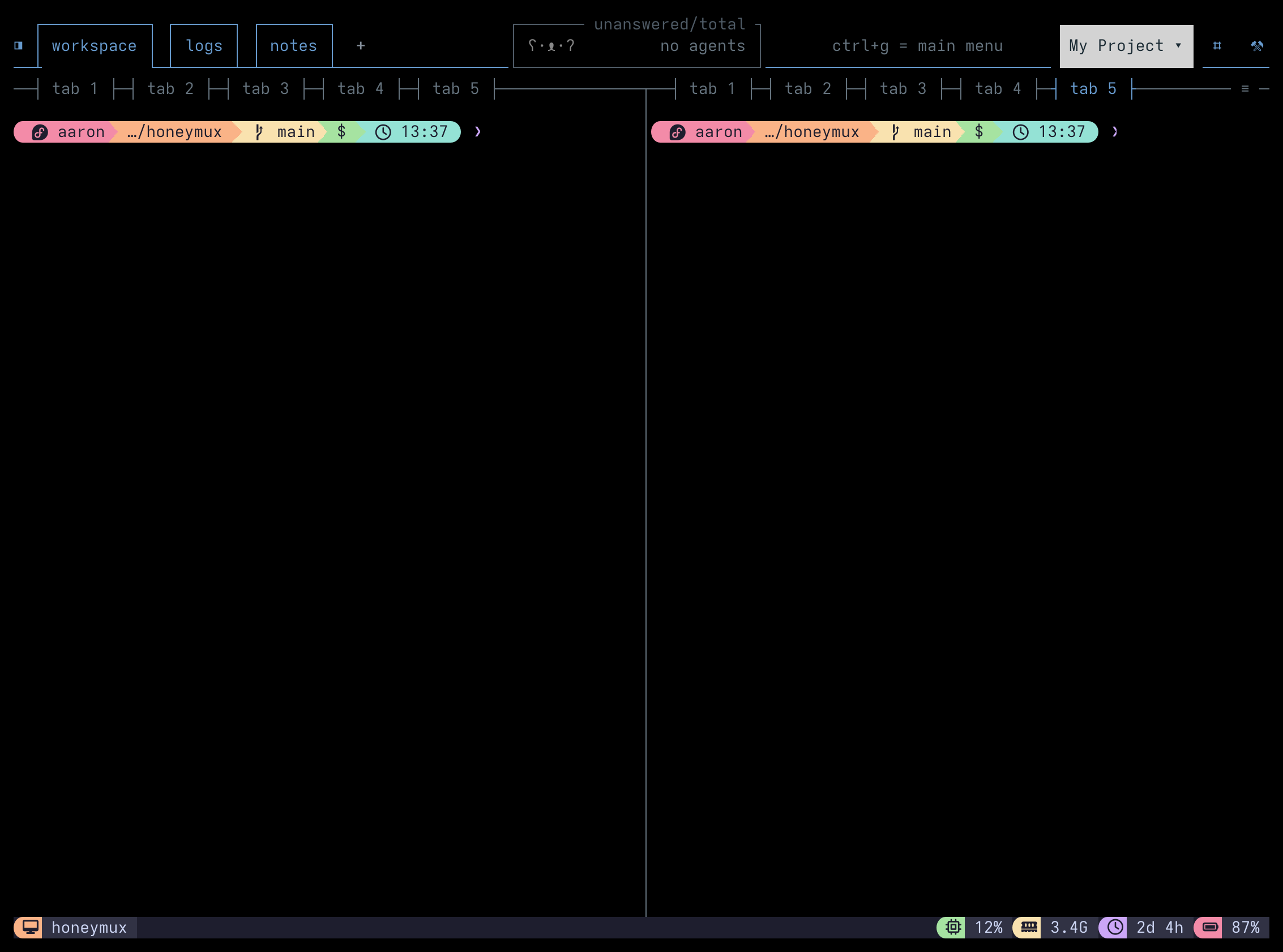
Pane tabs allow multiple shells or processes to share a single pane slot, switching between them without changing the tmux layout. Enable the feature from the General tab in the Options dialog.
Creating and closing tabs
Section titled “Creating and closing tabs”Click the ≡ menu on any pane border and select New tab, or use the newPaneTab key binding. A new shell is spawned in a hidden tmux window and swapped into the pane slot when selected. Close a tab by right-clicking it and choosing Close tab from the context menu.
Switching tabs
Section titled “Switching tabs”Click a tab label in the pane border to switch to it. The nextPaneTab and prevPaneTab key bindings cycle through all tabs and panes in the current window. When there are more tabs than the border can display, an overflow indicator (+N) appears — click it to see the full list.
Reordering and moving tabs
Section titled “Reordering and moving tabs”Drag a tab along the border to reorder it within its group. Drag a tab onto a different pane to move it into that pane’s tab group. If the target pane has no tabs, the dragged tab and the target pane form a new group.
Renaming tabs
Section titled “Renaming tabs”By default each tab is labeled with the foreground process name (pane_current_command), updating automatically when the process changes. Right-click a tab and select Rename tab to assign a fixed label. Setting the name to empty reverts to automatic naming.
Tab label truncation
Section titled “Tab label truncation”Labels are shown at full length when space allows. When the combined labels exceed the available border width, a water-fill algorithm distributes space fairly — shorter labels keep their full text while longer labels are truncated with an ellipsis. A single-tab pane uses the full border width for its label.
Screen captures powered by Honeyshots
Copyright © 2026 Aaron Campbell · Apache 2.0