
Privileged pane detection
Honeymux polls each pane’s controlling-tty foreground process group every two seconds and checks whether the group leader’s effective UID is 0. Panes whose foreground process is root-owned are painted with a semi-transparent red overlay so privileged work is obvious at a glance.
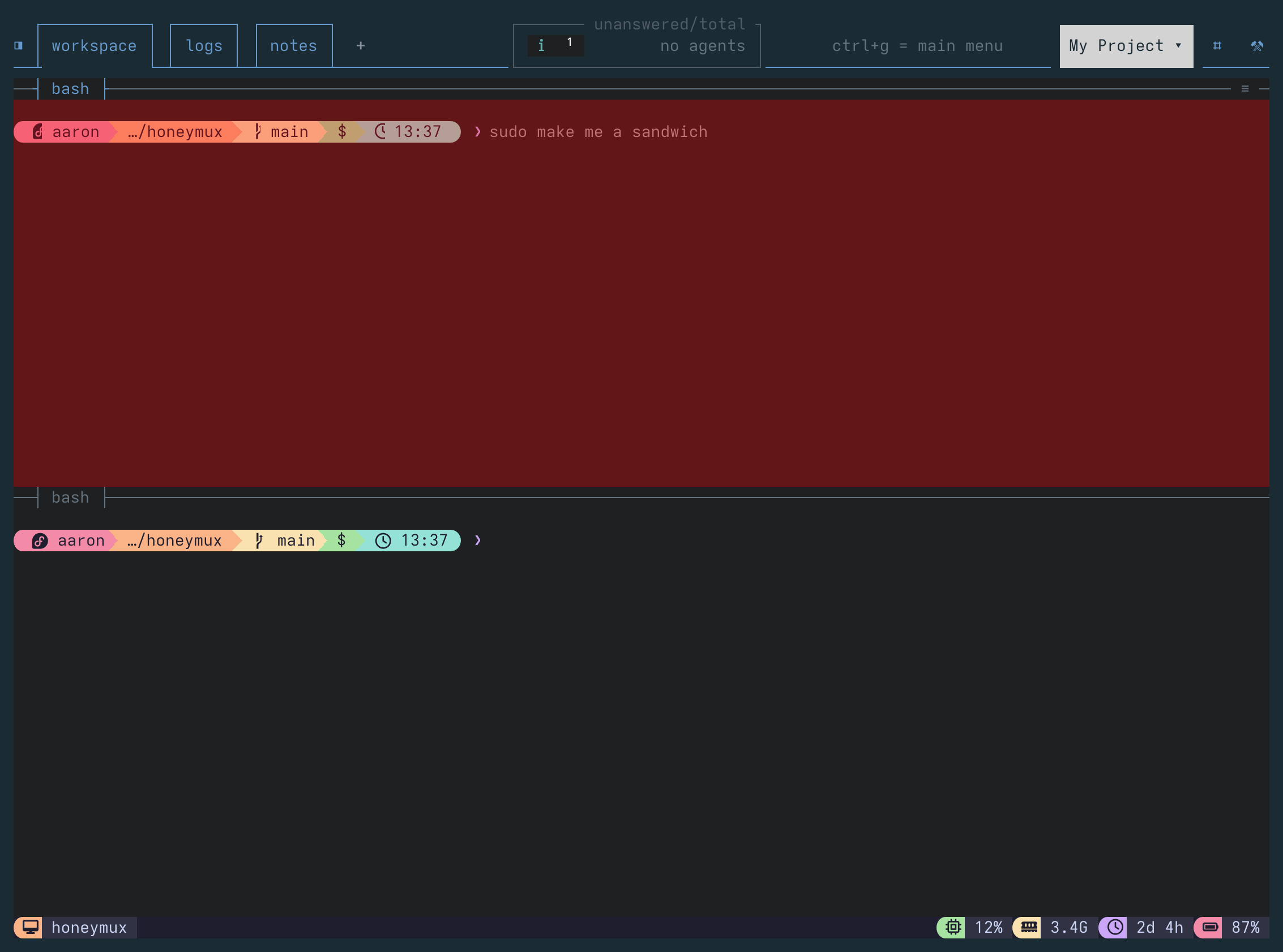
The tint is driven by privilegedPaneDetection (default true) and privilegedPaneDetectionOpacity (default 15, range 1–15). Both are editable from the Appearance tab of the Options dialog as Root shell detection and its opacity slider.
What counts as privileged
Section titled “What counts as privileged”The check looks at the group leader only — the process whose pid == pgid == tpgid. Setuid-root helpers (sudo, login, security, …) that a non-root command forks share the pane’s foreground process group but are not its leader, so they don’t trip the overlay. The tint appears when the interactive shell itself is root, e.g. after sudo -i, su -, or sudo bash.
Detection is platform-aware:
- Linux reads
/proc/<pid>/statfortpgid, then/proc/<tpgid>/statusforUid:. - macOS uses
ps -t <tty> -o pid= -o tpgid= -o uid=and matches the leader’s UID. - Other platforms skip the check (no tint).
Any parse error or missing /proc entry is treated as “not root” — the overlay fails closed.
Disabling or adjusting
Section titled “Disabling or adjusting”Toggle Root shell detection off in Options to hide the tint entirely; the polling loop also short-circuits when disabled. The opacity slider (1-15%) adjusts the alpha channel of the #ff0000 overlay, which is clamped to a minimum of 5% at render time so a usable tint is always visible when the feature is on.
Screen captures powered by Honeyshots
Copyright © 2026 Aaron Campbell · Apache 2.0