
Mux-o-Tron
The Mux-o-Tron is an area reserved in the UI for agent status, monitoring, and response. This application actually does double mux duty: it multiplexes terminal PTYs (via tmux) as well as coding agents (via hooks/plugins interfaces).
Initially inspired by Apple’s Dynamic Island, the idea is to reserve a portion of the screen that is visible and up-to-date no matter which session, window, or pane a user happens to be focused on.
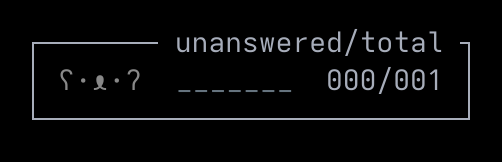
In its idle shape the Mux-o-Tron is a compact box centered in the tab bar. The counters show the number of agents with unanswered permission requests as well as a total count of running agents. These values are driven by the Agent Integrations hooks; Honeymux does not provide visibility into agents running outside its own tmux workspace.
Counter logic
Section titled “Counter logic”The two-sided counter is managed as follows:
| Counter | Incremented | Decremented |
|---|---|---|
| Unanswered | A permission-request hook arrives (for example PermissionRequest from Claude Code). | A response keycode (e.g. Enter, Esc, Ctrl-C) is detected towards that agent’s PTY — either through direct typing, the Mux-o-Tron’s approve / deny actions, or the agent’s own UI. Or the agent disconnects. |
| Total | An agent connects to Honeymux through its Unix domain socket. | The agent disconnects. |
When both counters are zero and no agent has ever connected, the right side reads no agents instead of 000/000.
Status subarea
Section titled “Status subarea”The leftward subarea of the Mux-o-Tron is allocated for communication of state as follows:
| State | Symbol(s) | Color | When it applies |
|---|---|---|---|
| Idle | ʕ·ᴥ·ʔ | Grey | No unanswered agent requests pending. |
| Need input | ʕ·ᴥ·ʔ | Per agent | At least one unanswered agent request is pending. |
| Sleeping | ʕ-ᴥ-ʔzzz | Dim grey | No agents, and the counter has read zero for 5+ minutes. |
| Warning pending | ⚠ | Emoji | One or more warning-level notifications are pending; count shown in superscript. |
| Info pending | ℹ | Emoji | One or more information-level notifications are pending; count shown in superscript. |
| Idle | _______ | Dim grey | Flat line indicates no agents working |
| Working | ..·˙.__ | Green | Sine wave indicates at least one agent working |
When both warnings and info items are pending at the same time, the icon alternates every five seconds and the superscript sums both categories. Clicking the badge opens the notifications review frame; if you bind a notifications key it does the same.
Auto-expansion when an agent waits
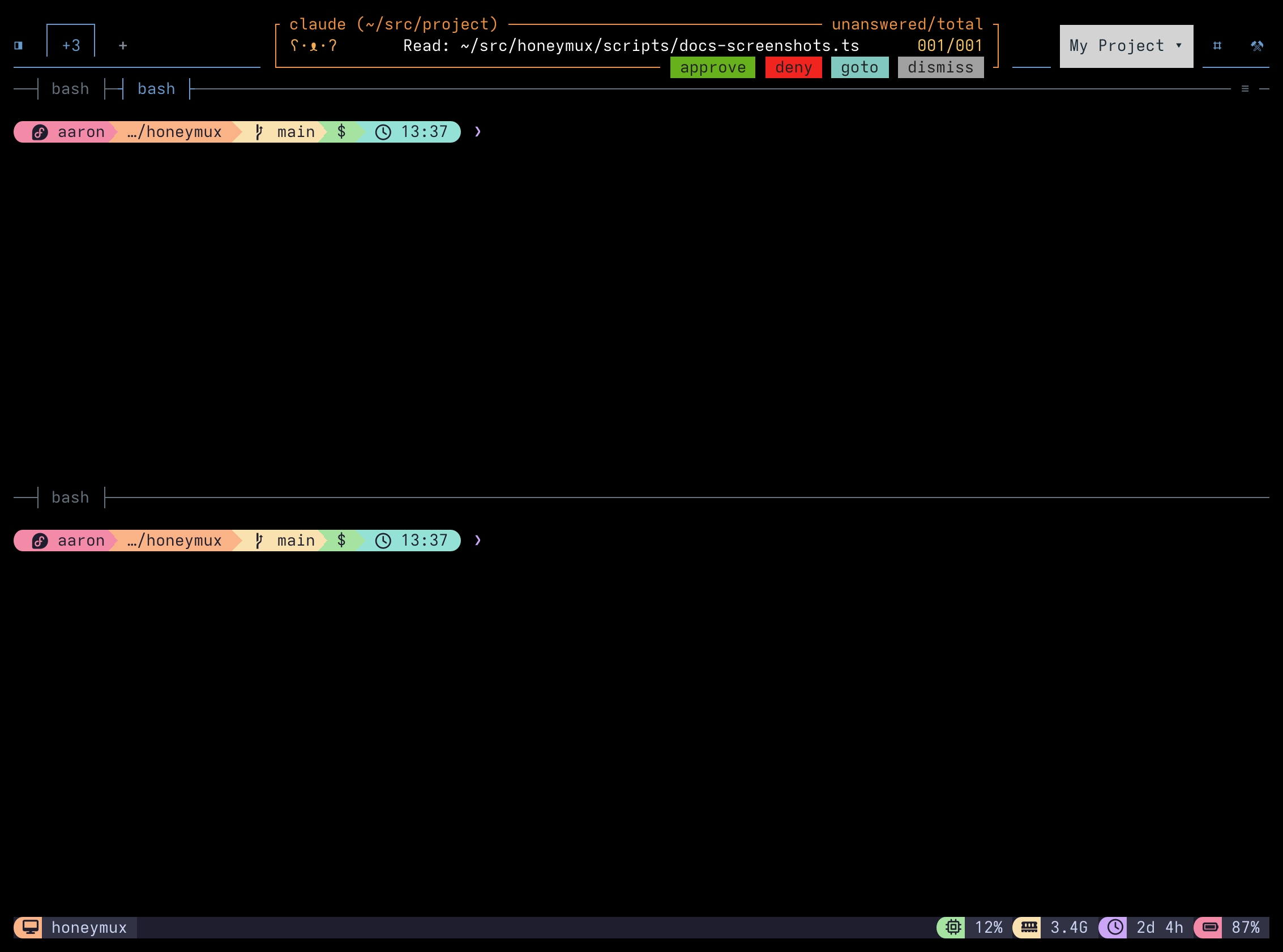
Section titled “Auto-expansion when an agent waits”When a permission request arrives from a pane other than the one you are focused on, the Mux-o-Tron expands horizontally to cover as much of the Tab Bar as needed to show the request’s details.
No latch key configured:
Latch key configured:
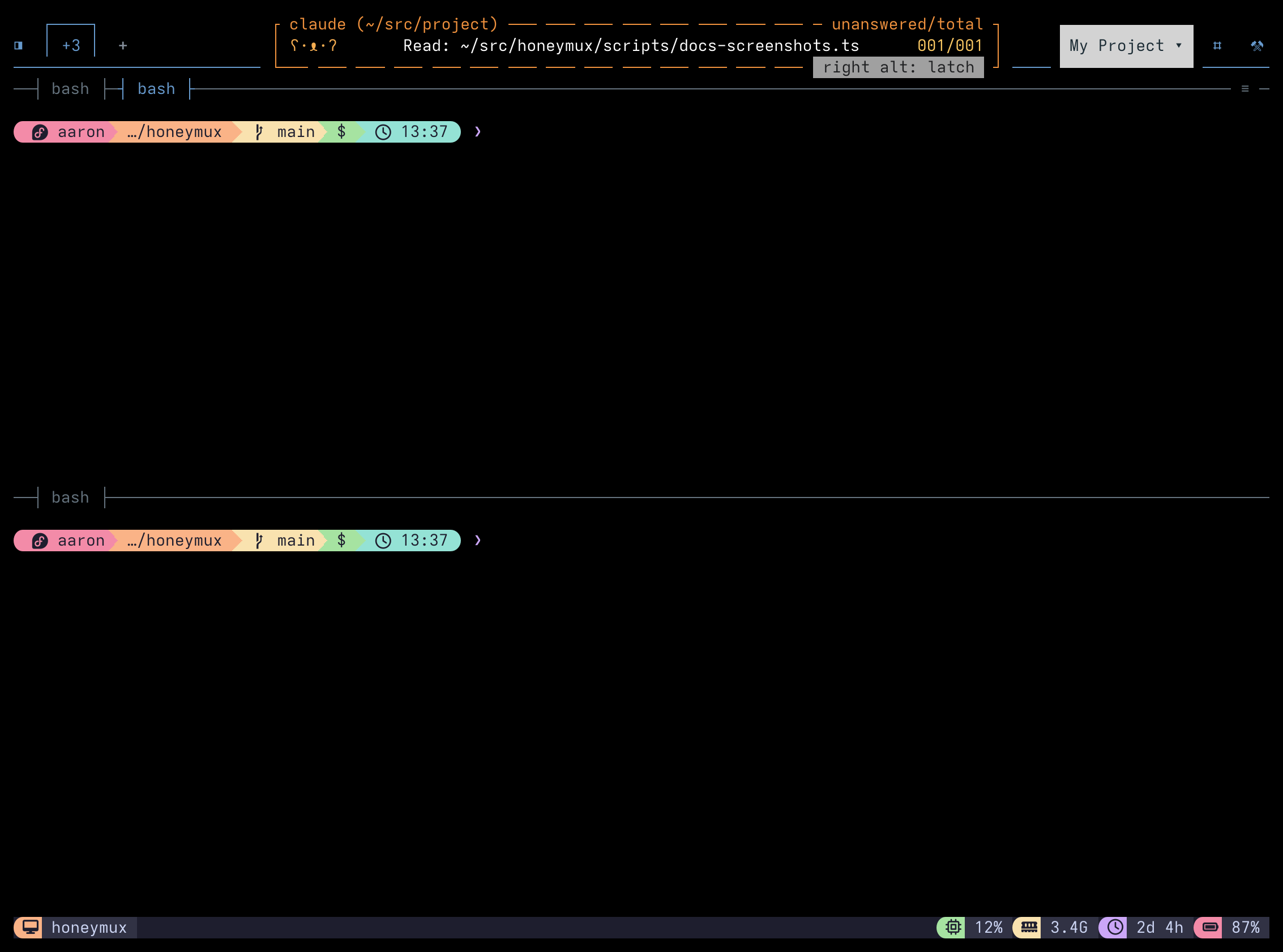
In these states, the Mux-o-Tron shows:
| Item | Condition | Location | Detail |
|---|---|---|---|
| Border | - | - | Changes color to match the requesting agent (e.g. orange == Claude Code) |
| Border | Latch key mapped | - | Renders as solid or dashed lines based on current latch state |
| Conversation label | - | Upper left | Assist in identifying the requesting agent |
| Permission request details | - | Center line | Nature of the request |
| Approve | Latch key unmapped | Button strip | Affirm request |
| Deny | Latch key unmapped | Button strip | Reject request |
| Goto | Latch key unmapped | Button strip | Switch focus to agent pane |
| Dismiss | Latch key unmapped | Button strip | Ignore permission request |
| Latch | Latch key mapped | Button strip | Inline response |
In latchless mode, agent actions can be activated via mouse click, as well as key bindings.
If multiple agents have pending requests at once, the oldest one in shown (FIFO). Responding or dismissing the current request advances to the next one in timestamp order.
Agent latching
Section titled “Agent latching”When the latch key is bound, pressing it while a permission request is pending promotes the Mux-o-Tron into a full-viewport surface: the agent’s live PTY renders inside the frame, the border switches to solid, and the bottom button strip stays on the permission-response set (approve / deny / goto / dismiss).
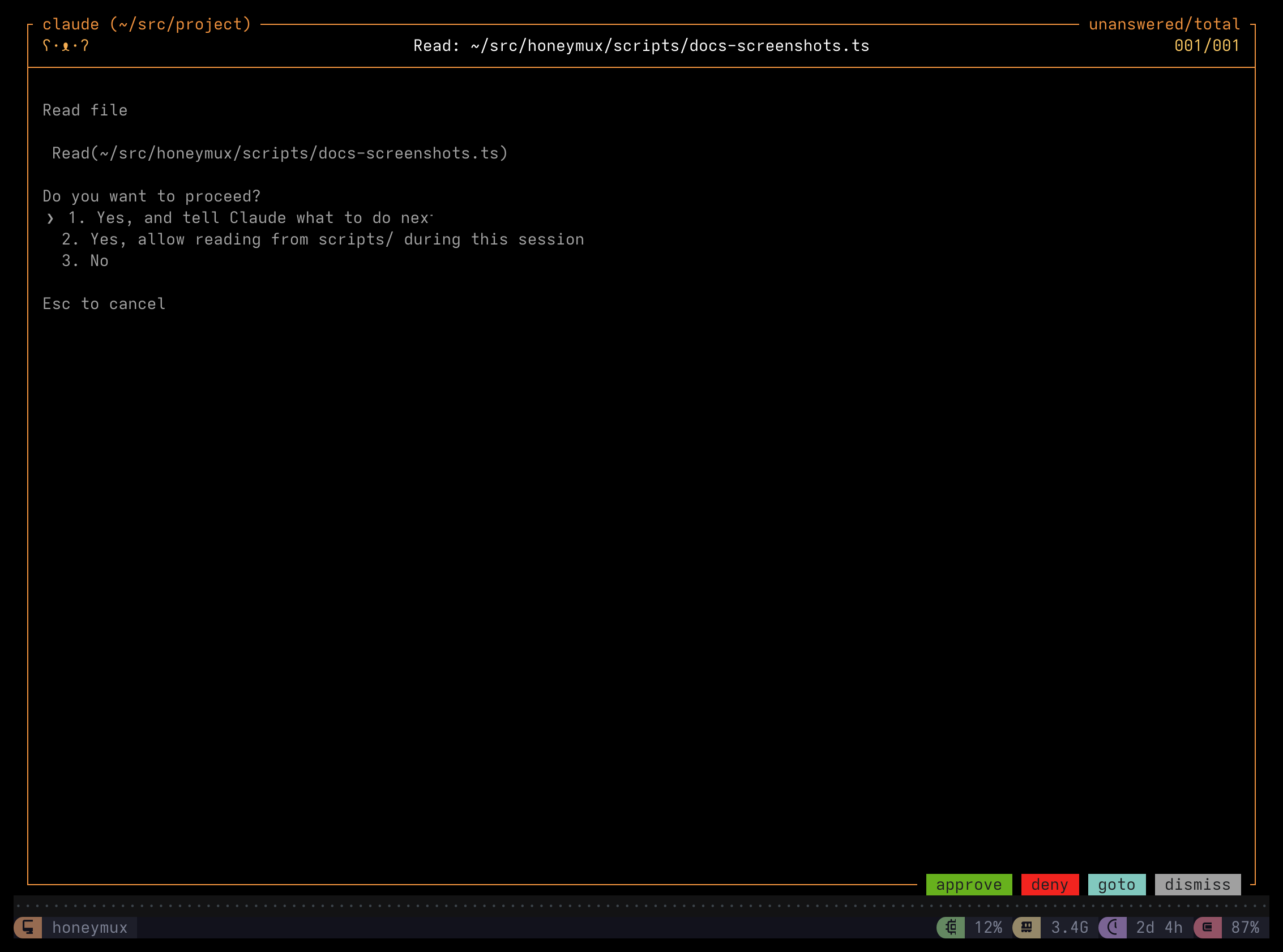
Keystrokes land in the agent’s PTY, so you can read the full context of the request — or type a free-form reply — without leaving the Mux-o-Tron to reach the approve/deny buttons. Tap the latch binding again to collapse back to the main terminal view.
Mouse interactions
Section titled “Mouse interactions”Every keyboard surface on the Mux-o-Tron is also clickable:
- Clicking the body of the idle box opens the Agents dialog.
- Clicking the body when it contains an active permission request switches focus to the pane where the requesting agent is running.
- Clicking the notification badge (when the
⚠orℹicon is showing) opens Notifications. - Clicking a response button (approve / deny / goto / dismiss, or latch / goto / prev / next) activates that action without requiring a configured keyboard shortcut.
- Scrolling over a vertically expanded Mux-o-Tron scrolls the captured pane content or wrapped tool-input text inside the frame. Scrolling over a latched interactive pane forwards the scroll sequence to the agent’s PTY, so the agent’s own UI (pager, viewport) responds.
All mouse interactions are via single left click — other gestures have no effect.
Screen captures powered by Honeyshots
Copyright © 2026 Aaron Campbell · Apache 2.0