
Review
For keeping up with agent teams or other larger workloads, the review workflow provides a way to check on every running agent in a single sweep.
When review mode engages, the Mux-o-Tron takes over the full viewport — the agent’s live PTY renders inside its frame — and swaps its button row from the permission-response strip (approve / deny / goto / dismiss) to the review-workflow strip:
| Button | Condition | Action |
|---|---|---|
| Latch | Latch key mapped | Focus or release the terminal viewport for interaction |
| Goto | None | Switch focus to agent pane |
| Prev | None | Step backward to previous running agent |
| Next | None | Step forward to next running agent |
Review mode has two sub-states, distinguished by whether keystrokes are forwarded to the agent pane’s PTY.
Preview state (unlatched):
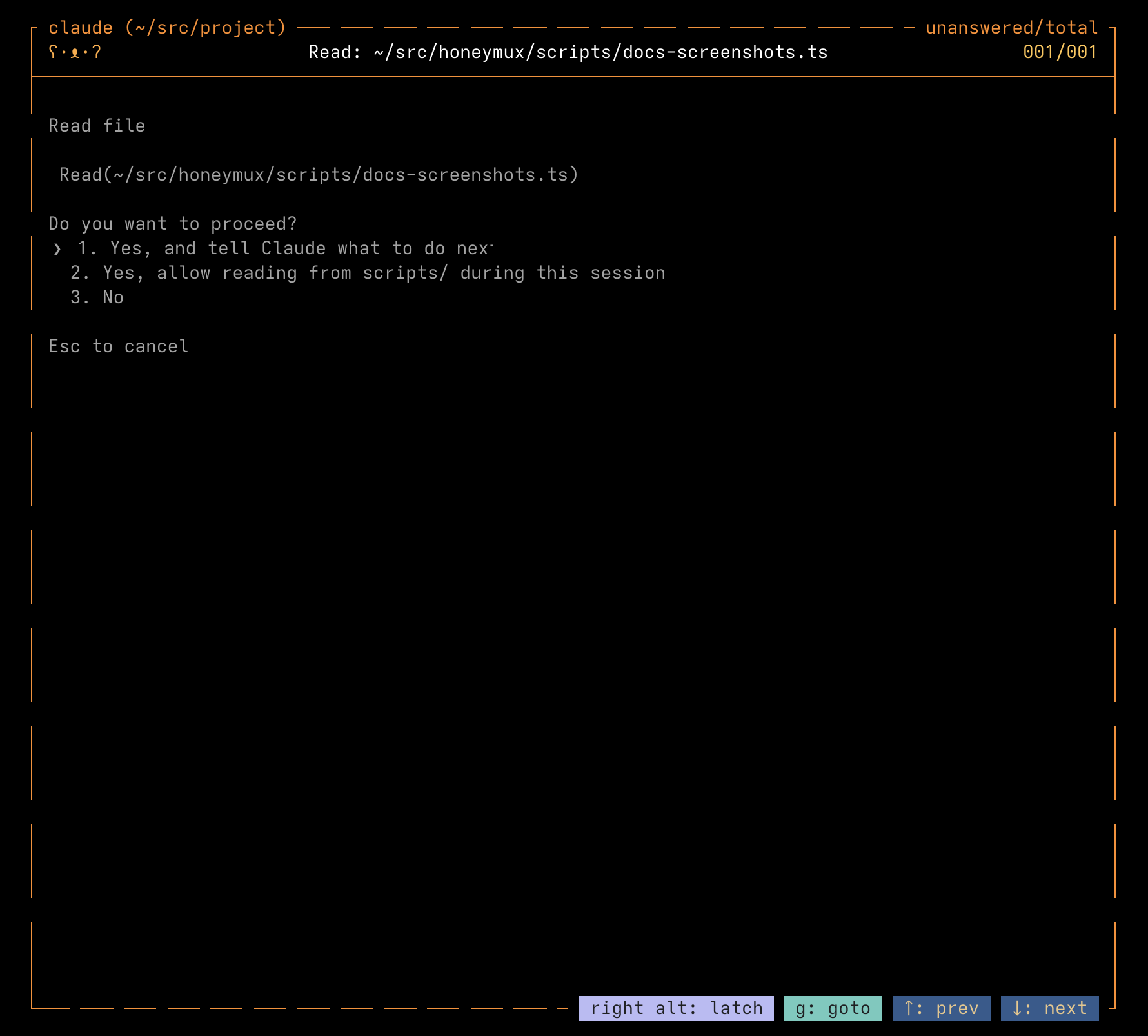
The review button strip is visible and its shortcuts (defaults: g, ↑, ↓) are live. Depress the latch key to interact directly with the agent.
Interactive state (latched):
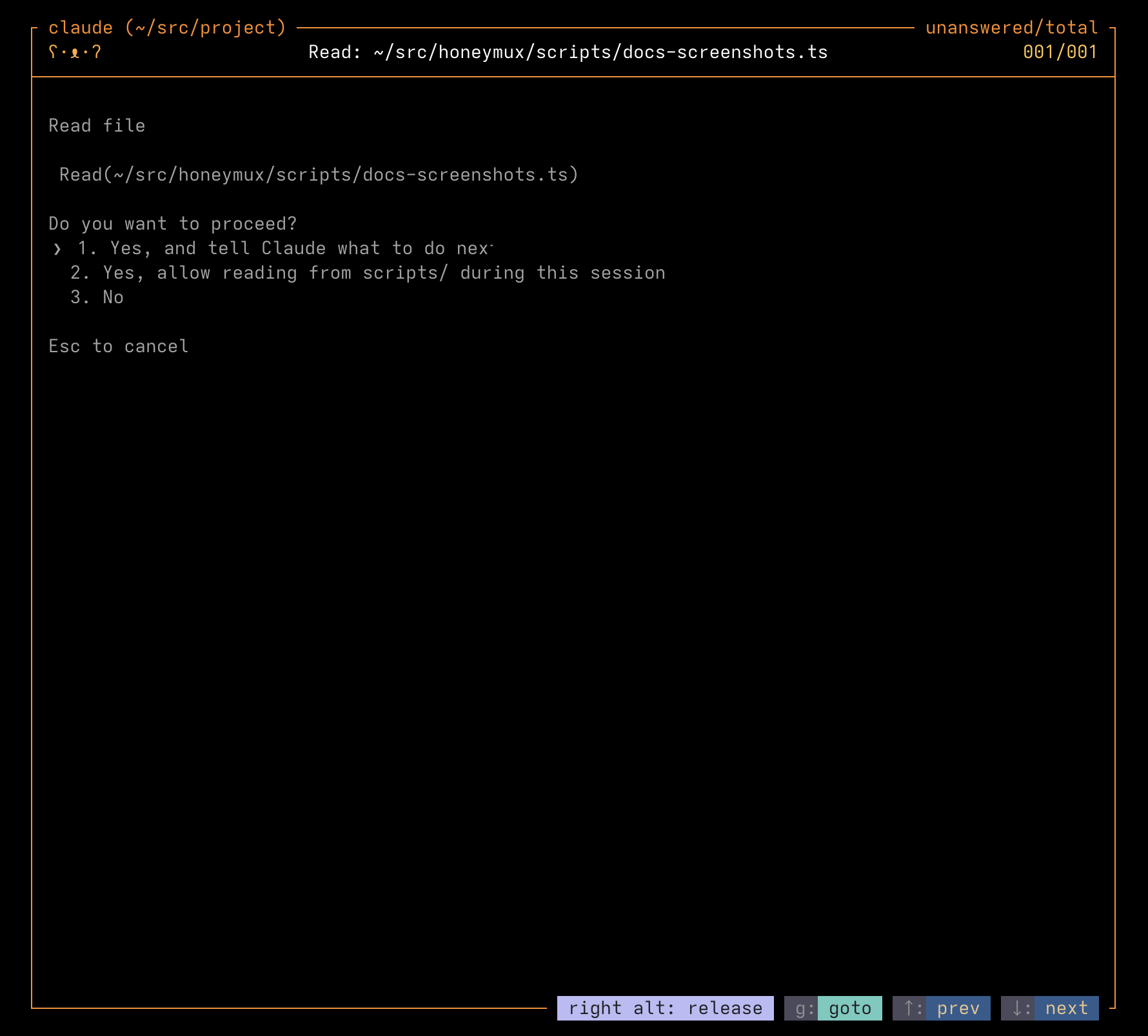
The button strip stays visible but the goto, prev, and next key hints render dim to indicate they’re now going to the agent PTY. The latch button’s own hotkey stays lit — pressing it again will exit interactive mode.
In latched mode your keystrokes reach the agent the same way they would if you pressed agentReviewGoto and then typed into its pane, but you don’t have to leave the surface to do so.
Screen captures powered by Honeyshots
Copyright © 2026 Aaron Campbell · Apache 2.0