
Main menu
Press Ctrl-G to open the main menu. Most application functions are accessible from here.
Global controls:
- To map a hot key, focus the item then press return to enter capture mode (see Key Bindings)
- To remove a hot key, focus the item then press delete/backspace
- To navigate between pages, press tab
Functions
Section titled “Functions”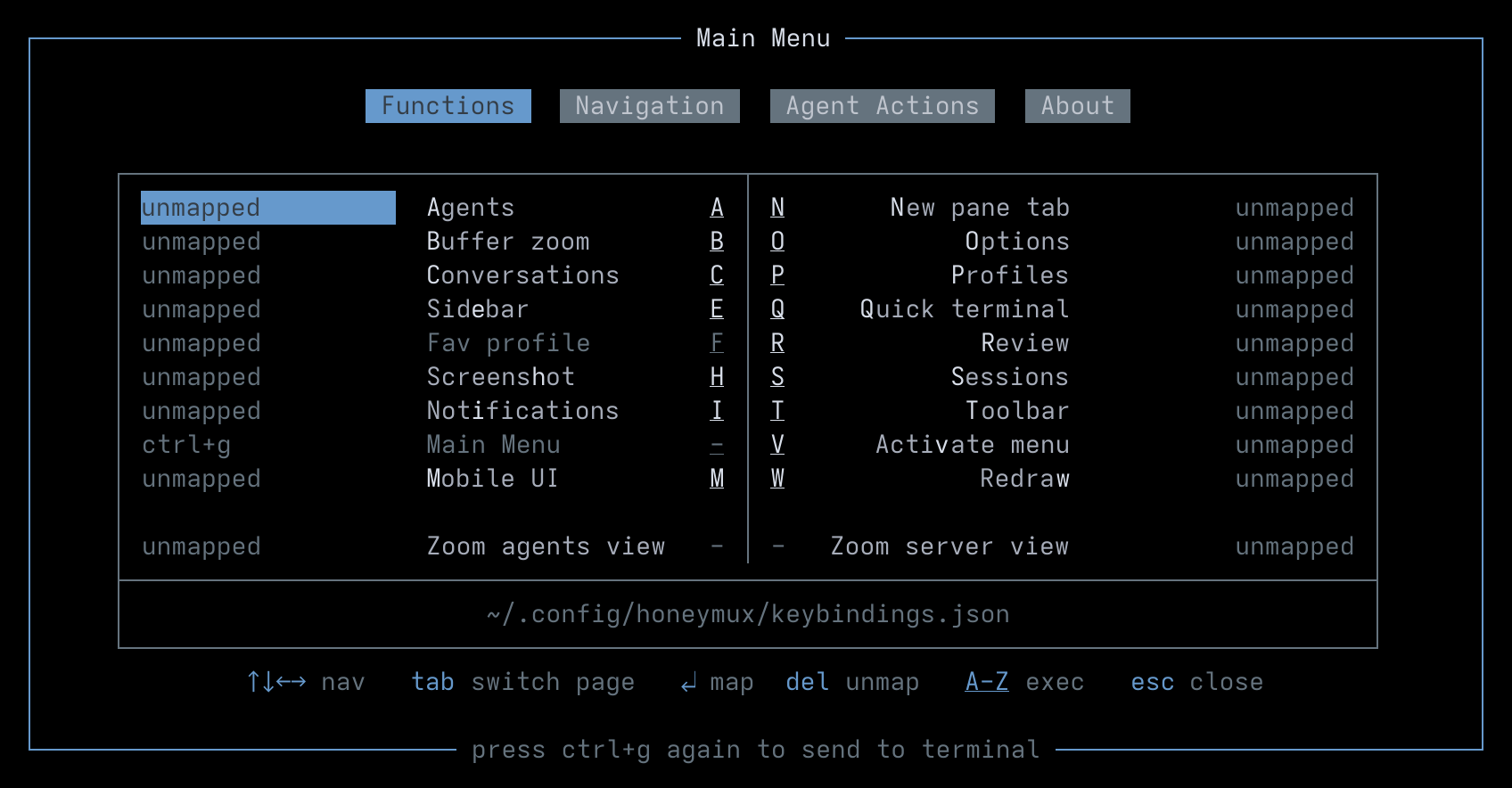
The functions tab provides a menu of the main application features and doubles as a key shortcuts mapping interface. Honeymux is not opinionated on which functions deserve hot keys and which don’t — it’s up to you to decide.
To activate a function immediately, press the underlined key shown in the center columns. To enable/disable “hold/release” mode1 for the zoom functions, use the ⊙ controls.
Navigation
Section titled “Navigation”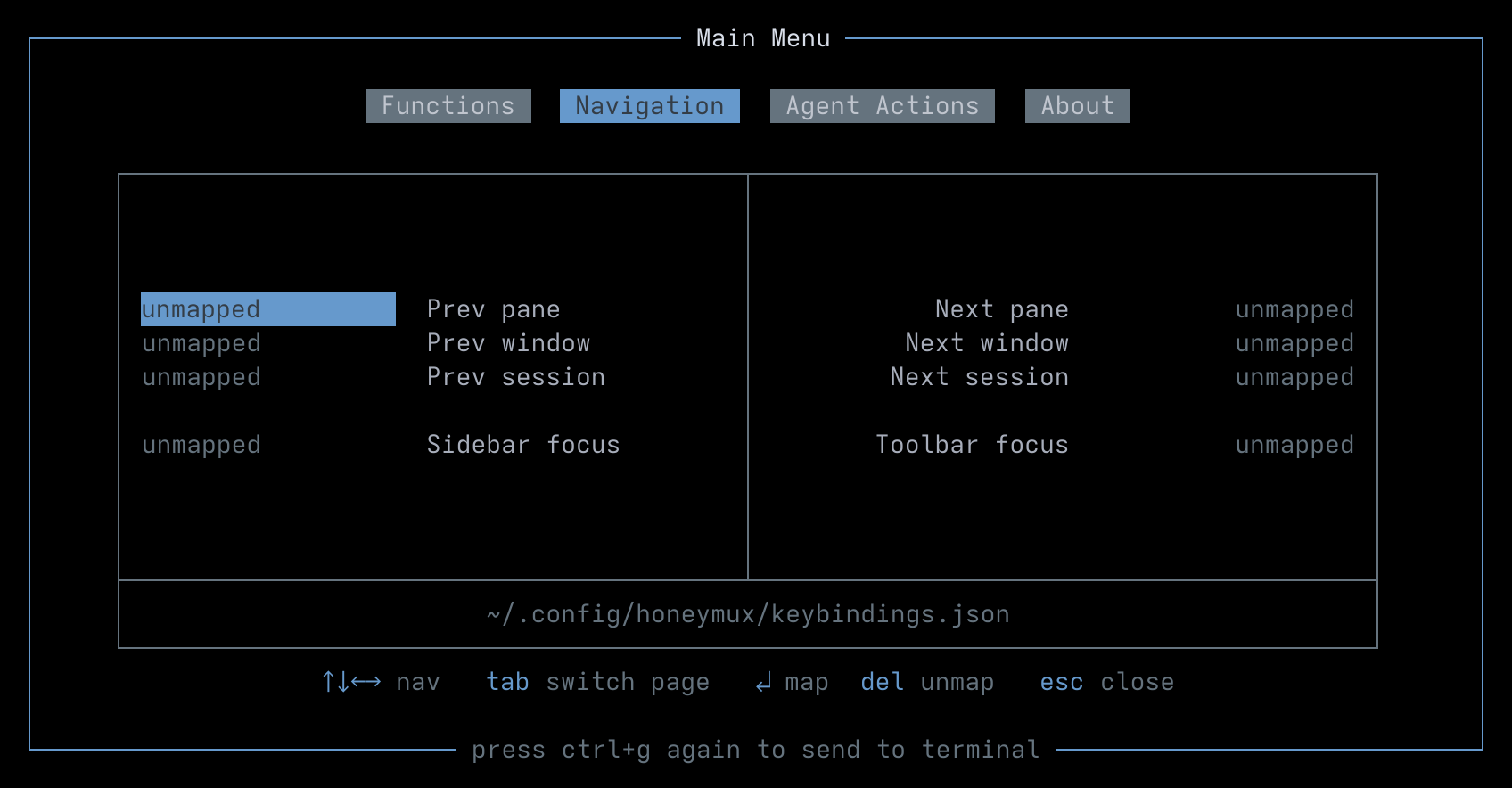
The navigation tab is an interface for mapping key shortcuts related to moving around tmux and the Honeymux interface.
Here is one possible approach:
- Prev Pane: Ctrl+Lt, Next Pane: Ctrl+Rt2
- Prev Window: Alt+Lt, Next Window: Alt+Rt
- Prev Session: Ctrl+Alt+Lt, Next Session: Ctrl+Alt+Rt
- Sidebar: Shift+Lt, Toolbar: Shift+Rt
Note that this leaves Ctrl+Alt+Shift+Lt/Rt free for lesser-used navigation gestures if needed. And on a Mac, Cmd+Lt/Rt remain available for switching tabs at the outer emulator level.
Agents
Section titled “Agents”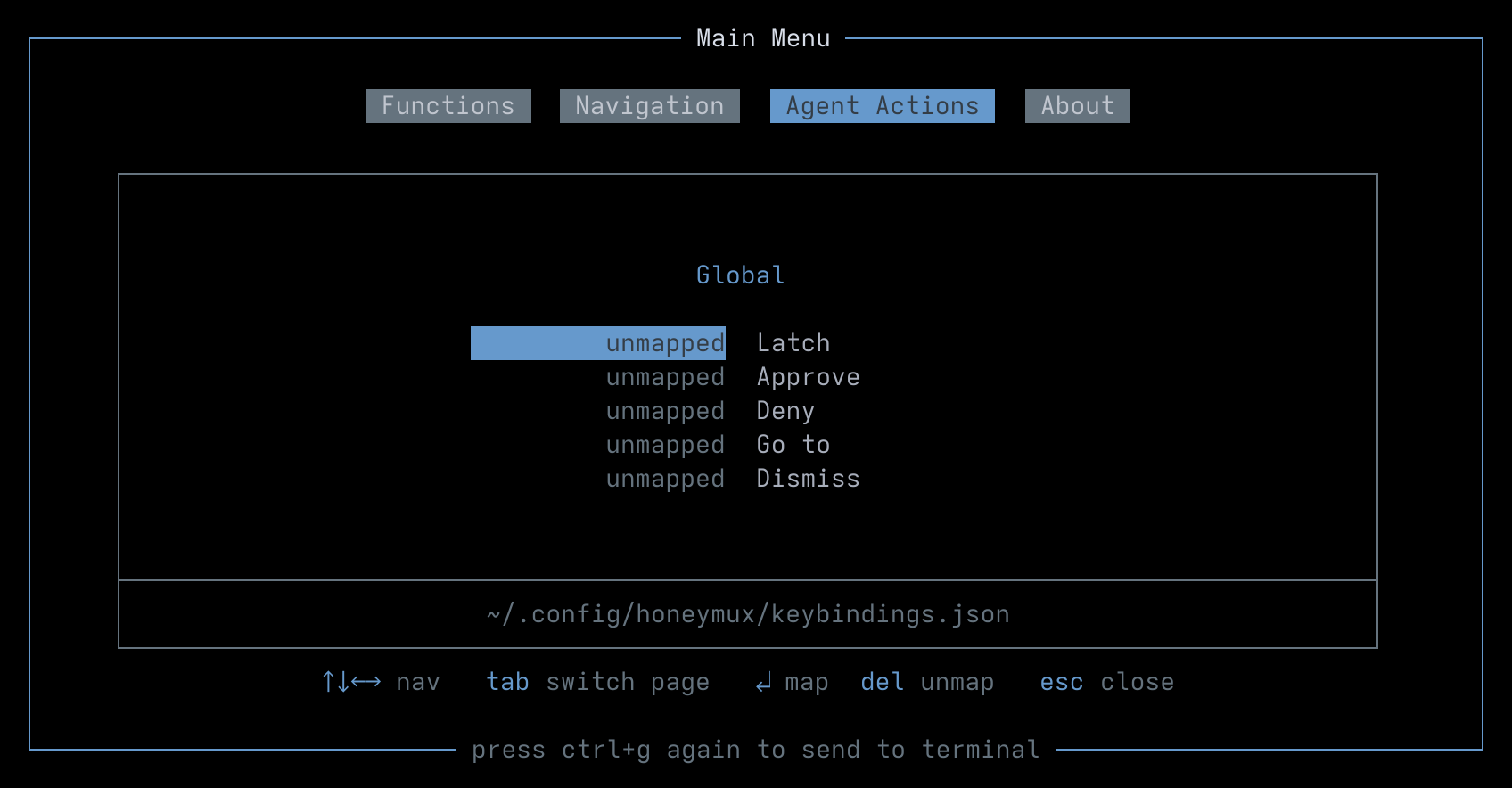
The agents tab is where key shortcuts are set for the agent monitoring latch and hotkeys for responding to agent permission hooks.
- Latch: Switch keyboard focus to the agent
- Approve: Send an approve response to the agent
- Deny: Send a deny response to the agent
- Go to pane: Switch focus to the pane where agent running
- Dismiss: Dismiss the notification, but keep the agent in unanswered state
All of these actions can also be activated by mouse click.
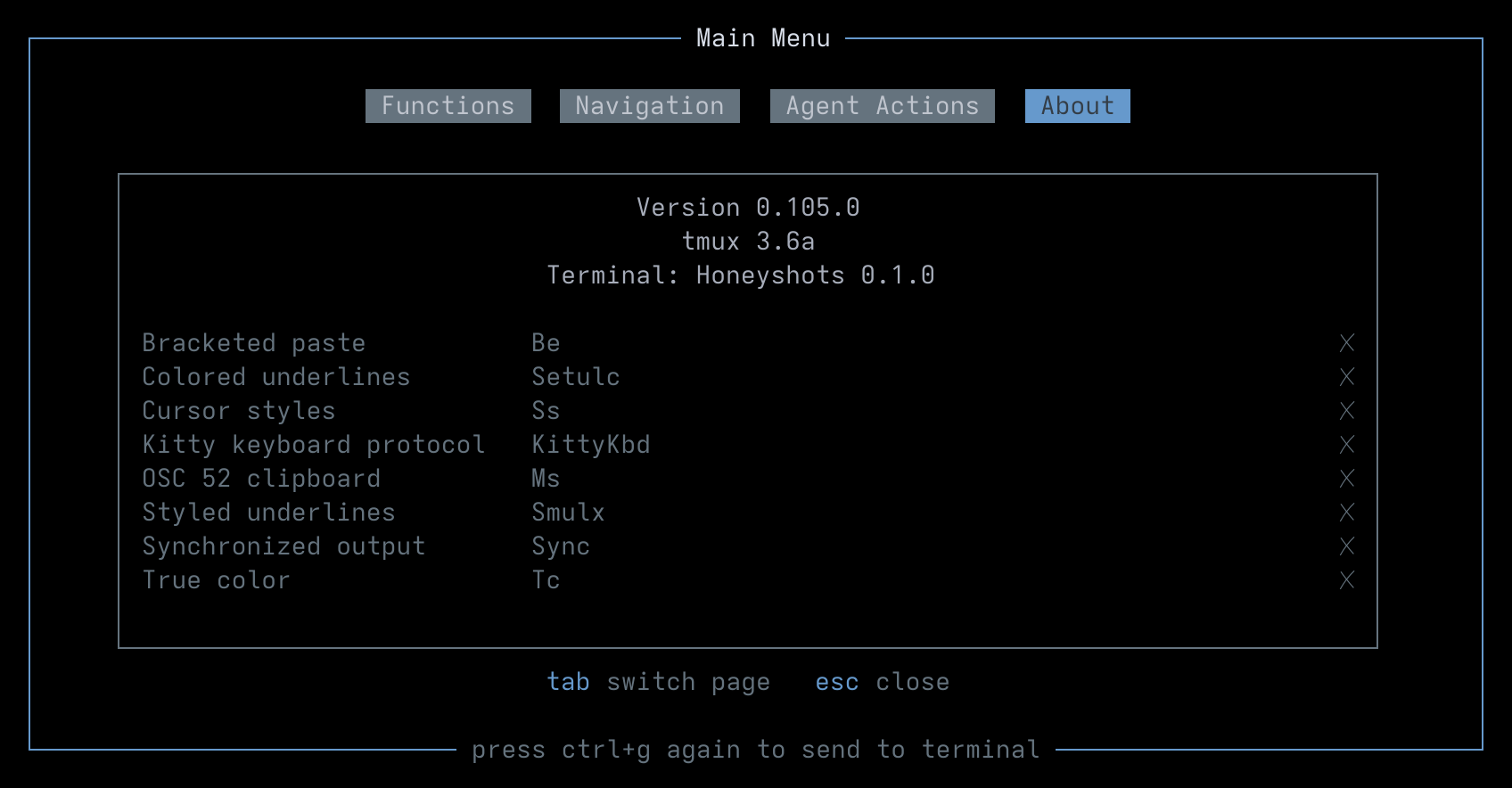
The about tab shows versioning information as well as the detected terminal emulator and advertised capabilities.
Footnotes
Section titled “Footnotes”-
Requires terminal emulator to support the kitty keyboard protocol. ↩
-
Note that if the Pane Tabs feature is enabled, the pane navigation keys will cycle between both panes and pane tabs (if any). ↩
Screen captures powered by Honeyshots
Copyright © 2026 Aaron Campbell · Apache 2.0